
Author

Paul Halliday
Director Software Engineering
Category
Conceal Blog
Published On
Oct 23, 2025
Understanding How Conceal Protects the Browser

Before we talk about protecting people inside the browser, we should take a minute to appreciate just how wild a creation the browser really is. We open it every day without ceremony, with a blank tab and a blinking cursor, treating it like a slightly fancier PDF viewer. But a modern browser is closer to a full operating system than an app. It manages memory, schedules processes, sandboxes strangers, interprets code from all over the world, talks to the GPU, writes to disk, and still finds time to play your cat videos in 4K.
It’s the only software on your machine that regularly executes untrusted code from complete strangers by design. You’d never download a random program from someone in another country and double-click it. Still, you’ll visit a URL with 37 tracking scripts, two ad networks, three analytics bundles, an embedded login form, and a WebGL-powered spinning shoe all before your morning coffee. And it works. Mostly.
Despite living under one icon, every browser has its own personality. Safari is quiet and strict. Firefox is independent and principled. Chrome is fast and everywhere. Edge brings cookies. But beneath the branding and homepages, they’re all balancing the same contradiction: to be endlessly flexible for developers and absolutely safe for users. Open the door to anything, but let nothing dangerous through.
That’s a hard job. Browsers parse languages (HTML, CSS, JavaScript), paint pixels, decode video, manage network requests, store data, isolate processes, schedule garbage collection, and occasionally ask if you want to accept cookies (as if you have a choice). They coordinate CPUs, GPUs, memory, storage, and user input like a miniature operating system. Except instead of running software you installed, they run software you’ve never met.
And yet, with all that power, they hide their machinery behind a simple box: an address bar and a promise: “Just type.” We type memes, bank accounts, medical results, love letters, JavaScript libraries, passwords, arguments… and hit Enter.
Most people think of browsers as windows. But they’re really gatekeepers. They decide what a page can touch, what it can't, and how much damage it’s allowed to do if things go wrong. They isolate one site from another. They sandbox each tab. They marshal every script through an engine. They don’t get credit for this. They just do it.
And that’s why, before we talk about what the Conceal browser extension can detect, block, or protect, we need to talk about the terrain it operates in. The browser isn’t just the stage. It’s the entire world we’re defending.
What This Series Covers and Why
To understand how our browser extension protects users, we first must understand the world it lives in. We’ll walk through it in four parts, with each one building on the last.
Part 1 - The Browser: Layers, Tabs & Realms
We’ll break down how browsers are structured, from platform services to engines, and what happens when you open a tab. No security yet. Just anatomy. You can’t protect what you don’t understand.
Part 2 - The Extension: Our Place in the Machine
We’ll map where extensions exist inside the browser: service workers, content scripts, and extension pages. We don’t modify the browser; we live inside it. Knowing our boundaries is key to understanding our power.
Part 3 - Analysis: How We Inspect & Detect
This is where the logic comes in. We’ll explore how our extension observes pages, collects signals, analyzes DOMs, intercepts requests, scores risk, and decides whether a site feels safe, strange, or outright malicious.
Part 4 - The Attacks: Tricks, Traps & How We Fight Back
Finally, we’ll look at a few real attack patterns. Fake login prompts, brand impostors, inline script injections, clipboard hijacks, and invisible overlays show how we counter them without breaking the web.
Each chapter has a simple goal:
Part 1 - Understand the arena
Part 2 - Meet the player
Part 3 - Learn how it thinks
Part 4 - Watch it in battle
Understanding How Conceal Protects the Browser
Part 1: The Browser: Layers, Tabs & Realms
Since most of the real work happens inside the browser itself, that’s where we begin. (Intentionally simplified, play along 🙂)
Modern browsers may look like simple applications, but they’re really made of multiple moving parts working in harmony. You can think of them in three main layers.
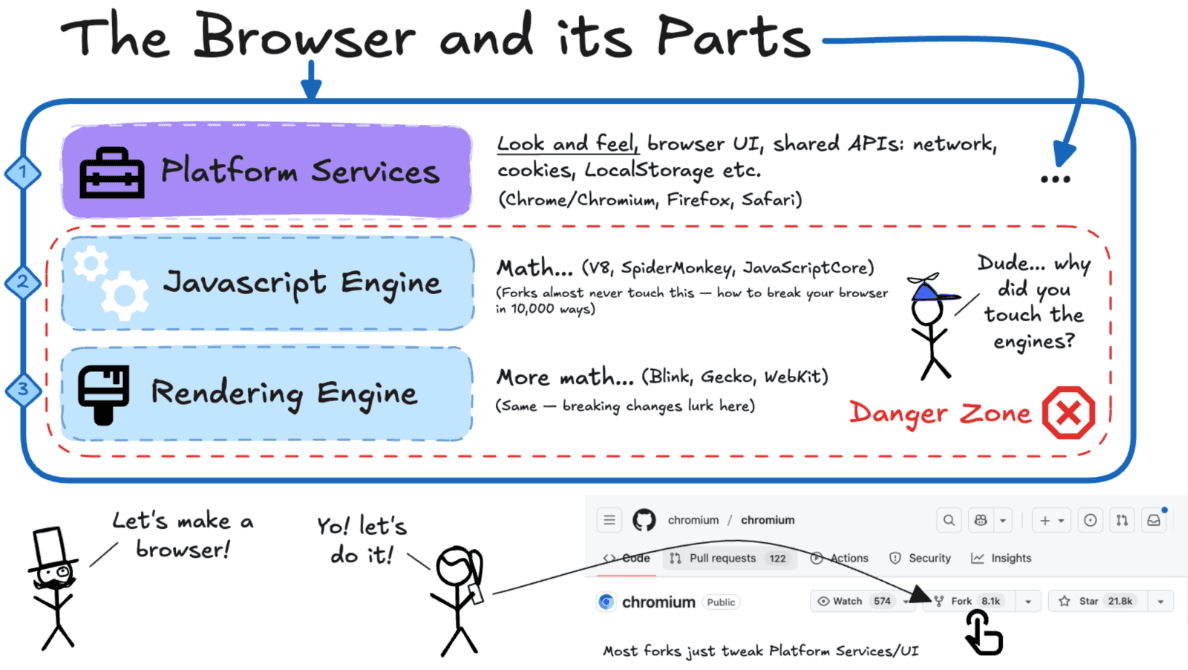
First, there’s the platform layer, which wraps everything around the web page. That includes the familiar interface you interact with every day: the tabs across the top, the back and forward buttons, the bookmarks bar, the downloads shelf, the pop-up permission prompts, and even the “Do you want to save this password?” messages. Beneath the surface, this layer also handles the shared services every website depends on, like cookies, local storage, indexed databases, and the networking stack that sends and receives data. This is the layer most browsers customize to give themselves personality. This is the reason Chrome, Firefox, Safari, and countless Chromium forks feel different even when loading the same sites.
Beneath that is the JavaScript engine, often called the JIT engine, the part of the browser responsible for running code. Whenever a website wants to do something interactive, like reacting to a button click, validate a login form, or animate a menu (outside of CSS), it runs through this engine. Engines like V8 (used in Chromium), SpiderMonkey (Firefox), and JavaScriptCore (Safari) are some of the most optimized software on the planet, designed to turn human-readable JavaScript into raw machine instructions in milliseconds. They're fast, powerful, and deeply complex, so much so that most browsers built on Chromium are wary of modifying them.
Then comes the rendering engine, the visual craftsman. It takes HTML and CSS, the structure and style of a page, and turns them into the pixels you actually see. It builds the page document tree, calculates layouts, handles cascading styles, and ultimately paints everything to the screen, usually in collaboration with the GPU. Rendering engines like Blink, Gecko, and WebKit are equally delicate. A single change in this layer can unintentionally break thousands of websites, which is why browsers rarely tamper with it.
Together, the JavaScript engine and rendering engine form the Danger Zone, not because it’s unsafe for users, but because it’s dangerous for browser vendors to modify. One misplaced tweak and an entire ecosystem of websites could fail to load or display correctly. So instead, most browsers, especially forks of Chromium, stay safely above this line, choosing to change only the platform layer.
Tabs
Now that we’ve seen the browser anatomy, let’s step inside a single tab, the moment where a website actually comes to life.
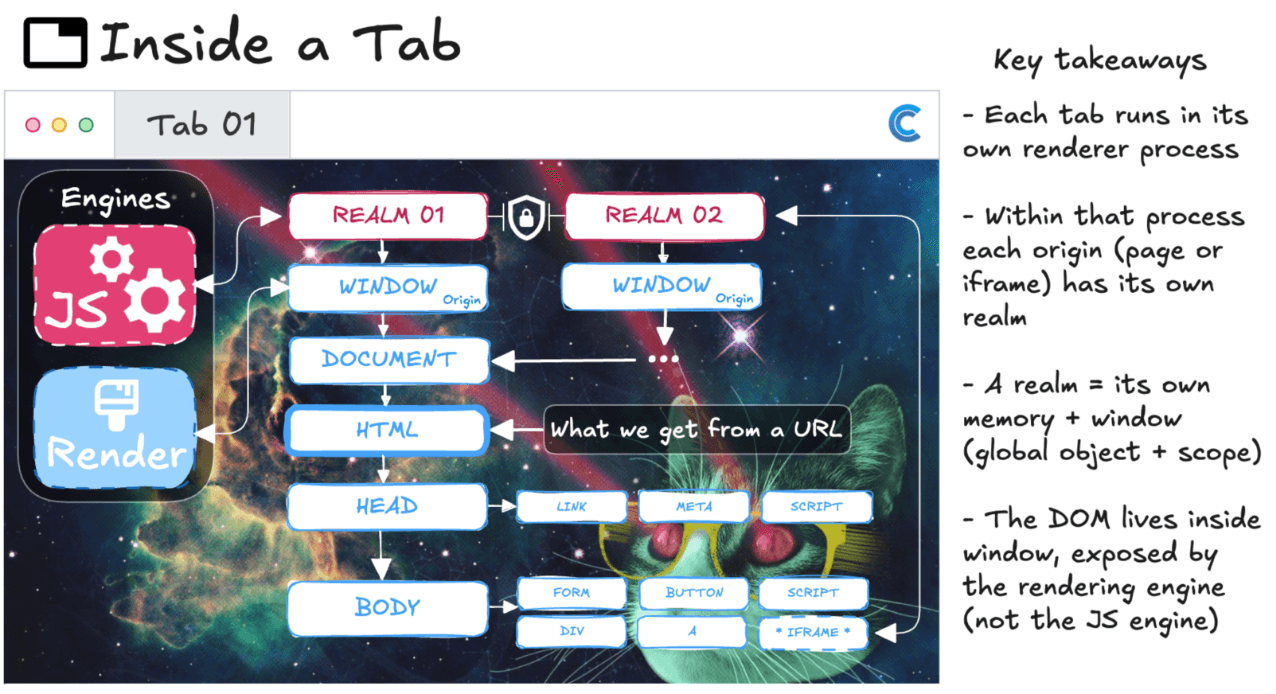
When you visit a page, the browser begins reading HTML from top to bottom. As it goes, the rendering engine starts constructing the page’s structure, the Document Object Model, or DOM. At the same time, any script tags it encounters are immediately handed off to the JavaScript engine. In older, classic websites (often called multi-page or inline sites), this means functions and variables are hoisted into place as soon as they’re found. The whole site is baked right into the HTML, and the browser assembles it piece by piece on arrival.
Modern Single-Page Apps (SPAs) work differently. They usually begin with a nearly empty HTML shell, sometimes just a single <div>, and rely on a bootstrapped JavaScript file to build everything dynamically. Instead of reloading entire pages, SPAs continually modify the existing DOM through script. The JavaScript engine keeps executing code, and with every change, the rendering engine recalculates layout and repaints only what’s necessary, frame by frame.
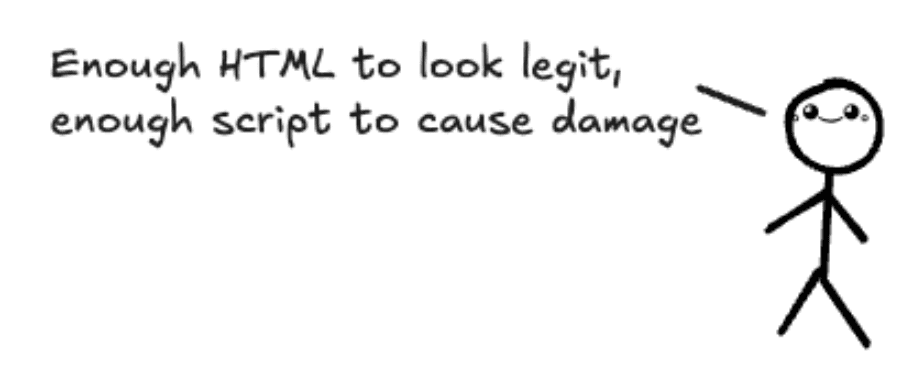
And here’s an important detail: attackers rarely bother with that complexity. Malicious websites often stick to the older inline model, a thin shell of HTML with a payload of script injected directly into it. No frameworks. No routers. Just enough surface to look legitimate, and just enough script to cause trouble.
More About Realms
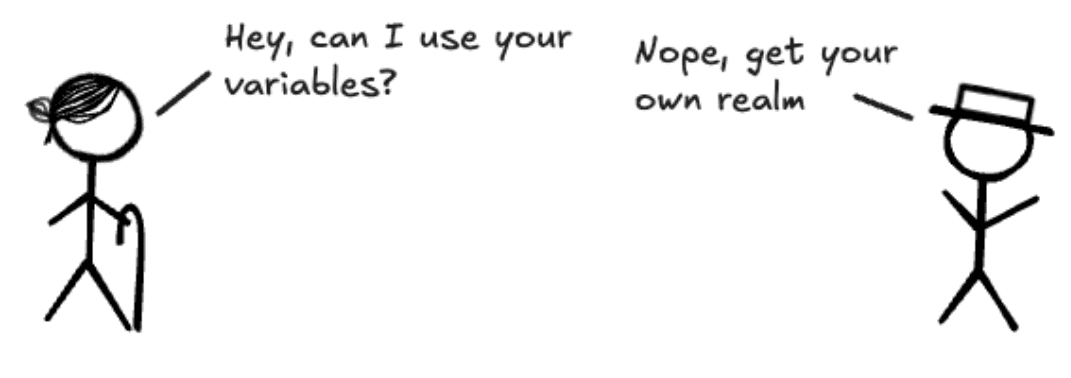
Inside every tab, beneath the HTML, scripts, and visuals, the browser quietly creates something called a realm. You won’t see it in DevTools, but it’s one of the most important concepts in how browsers stay safe and sane. A realm is like a private room where a website’s code runs. It gets its own memory, its own global environment (window), and its own copies of JavaScript’s built-in features like Array, Object, and Promise. Nothing inside that room is shared by default.
This is intentional. If two sites were loaded in the same tab, they could directly access each other’s memory or variables, causing the web to collapse into chaos instantly. That’s why even if two pages look visually side-by-side, say through an <iframe>, they are still placed into separate realms with separate window objects. If one site wants to talk to another, it can’t simply reach in and grab a function. It must send a message, literally postMessage(), across a guarded boundary.
Realms are the browser’s first line of defense. They don’t stop a site from being malicious, but they make sure it can’t spill over into another. It’s the reason your bank tab can exist next to a sketchy meme generator from 2007 without either one leaking into the other. You can think of each realm as its own micro-universe: full power inside, zero access outside, unless the browser explicitly allows it.
This is also where extensions eventually appear in the story. Extensions don’t rewrite realms; they carefully enter them as guests. But they must play by the same rules, isolated, deliberate, message-passing only. And that’s precisely what we’ll cover in Part 2.
Where We Go Next
So now we’ve peeled back the layers of the browser and looked inside a tab, from engines and realms down to how scripts and DOMs take shape. The big picture: browsers give each site its own little sandbox, but once you’re inside that sandbox, the page has a lot of freedom. That’s precisely where the Conceal extension shows up, adding guardrails to protect the user.
In the next installment, we’ll zoom in on where extensions actually live inside this environment, service workers, content scripts, and extension pages, and how those contexts let us step in at just the right points.
To learn more about Conceal’s approach to Zero Trust Access and Real-Time Browser Security, schedule a demo today.